
Kuraya 蔵屋
The JAV library that runs itself.
Download What every button does Third-party tools Packages used Troubleshooting Project pageFree · Windows 10/11 · adults 18+ only · your files never leave your PC
Download
Three apps, one library. The main app runs on your Windows PC, where you manage your collection. The two remote apps stream your movies to your other devices. You always need the main app; the remotes are optional.
🖥️ Kuraya main app
Runs on your Windows 10/11 PC. For movies that have a DVD-ID in the file name, it fetches covers and info, sorts them into folders, finds duplicates and makes English subtitles. It also plays your movies. Start here.
or the portable zip (no install)
📱 Kuraya Remote Android
Streams your movies from the PC to your phone or tablet over your home network. Favourites and flags sync back to the PC.
APK file, install it from your Downloads
💻 Kuraya Remote Windows
The same remote for a laptop or a second PC. Unzip it anywhere and start Kuraya_Remote.exe. Nothing to install.
zip file, keep the folder together
Not sure which one? Install the main app first. The PC must be on with Kuraya running when you use a remote. Windows may ask about an unknown publisher: choose More info, then Run anyway. All files
Pair the Remote (once)
Kuraya answers only devices that you paired. Do this one time for each phone, tablet or laptop.
- Install Kuraya on the PC and the Remote from the same release. An older Remote can not connect.
- On the PC: Settings > Network > Kuraya Remote > Pair a device. Kuraya shows a 6-digit code for 2 minutes.
- In the Remote: Settings > Pair with Kuraya, type the code, press Pair.
- Done. The PC lists your paired devices in the same place, and you can remove one there.
Did the code run out? Press Pair a device again and type the new code.
Use the Remote away from home
- Install the free Tailscale app on the PC and on the phone, tablet or laptop. Sign in with the same account on both.
- At home, pair the Remote and let it find the PC once.
- In the Remote: Settings > switch on Use away from home (Tailscale).
At home it uses your Wi-Fi; away it switches to Tailscale by itself. Nothing is opened to the internet: Tailscale connects only your own devices, encrypted.
Screenshots
The movie browser in poster and fanart view, and the scraper window.
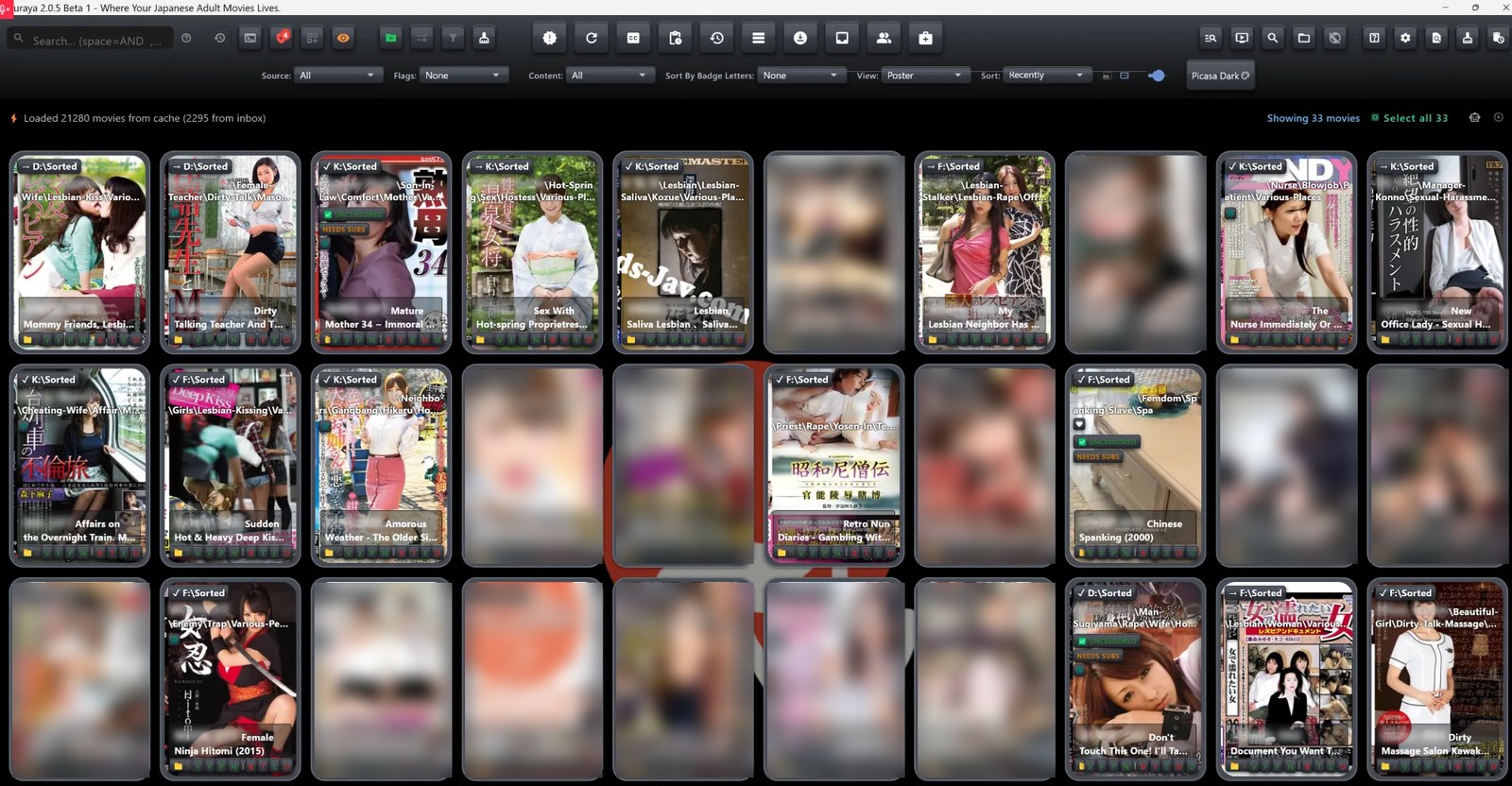
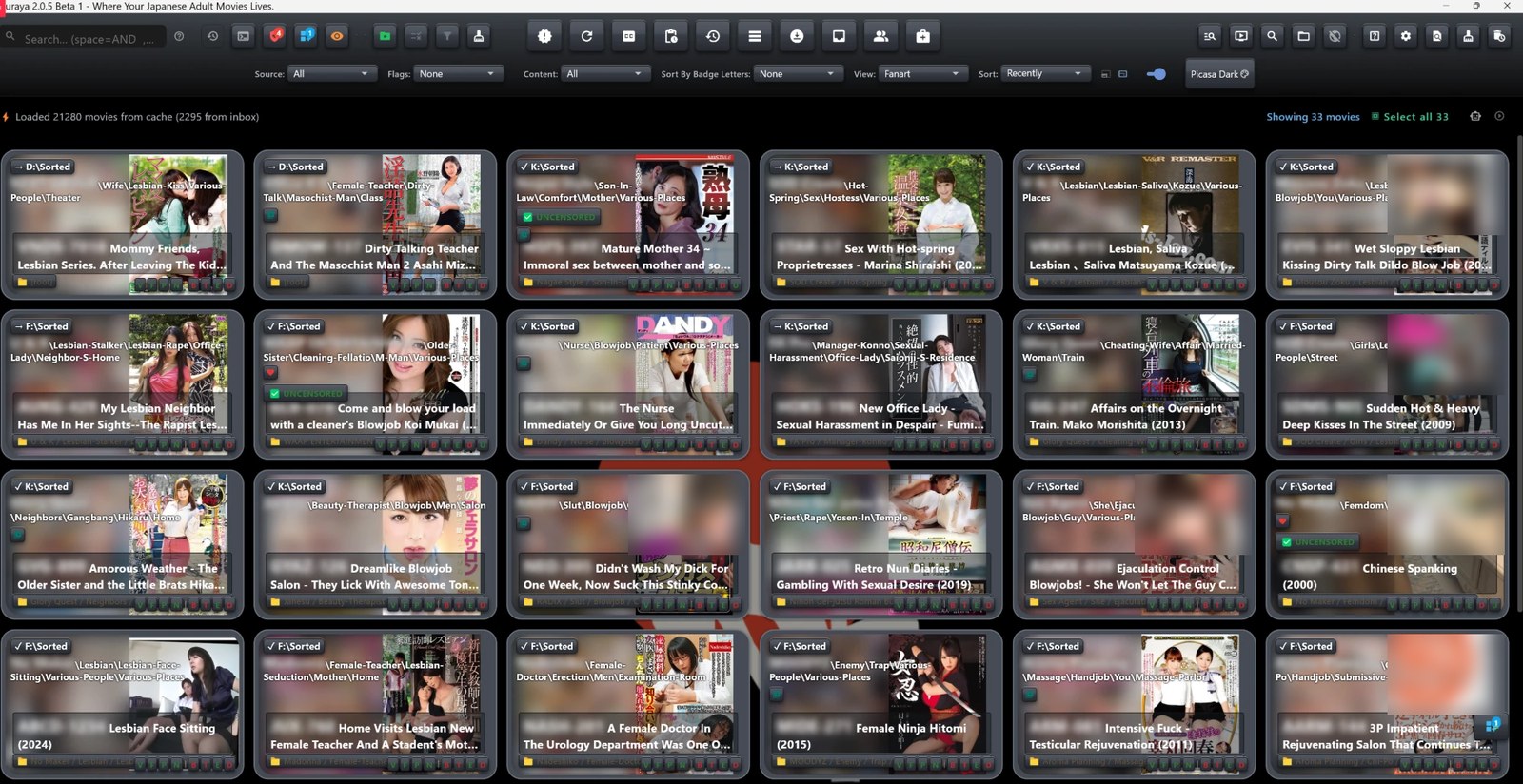
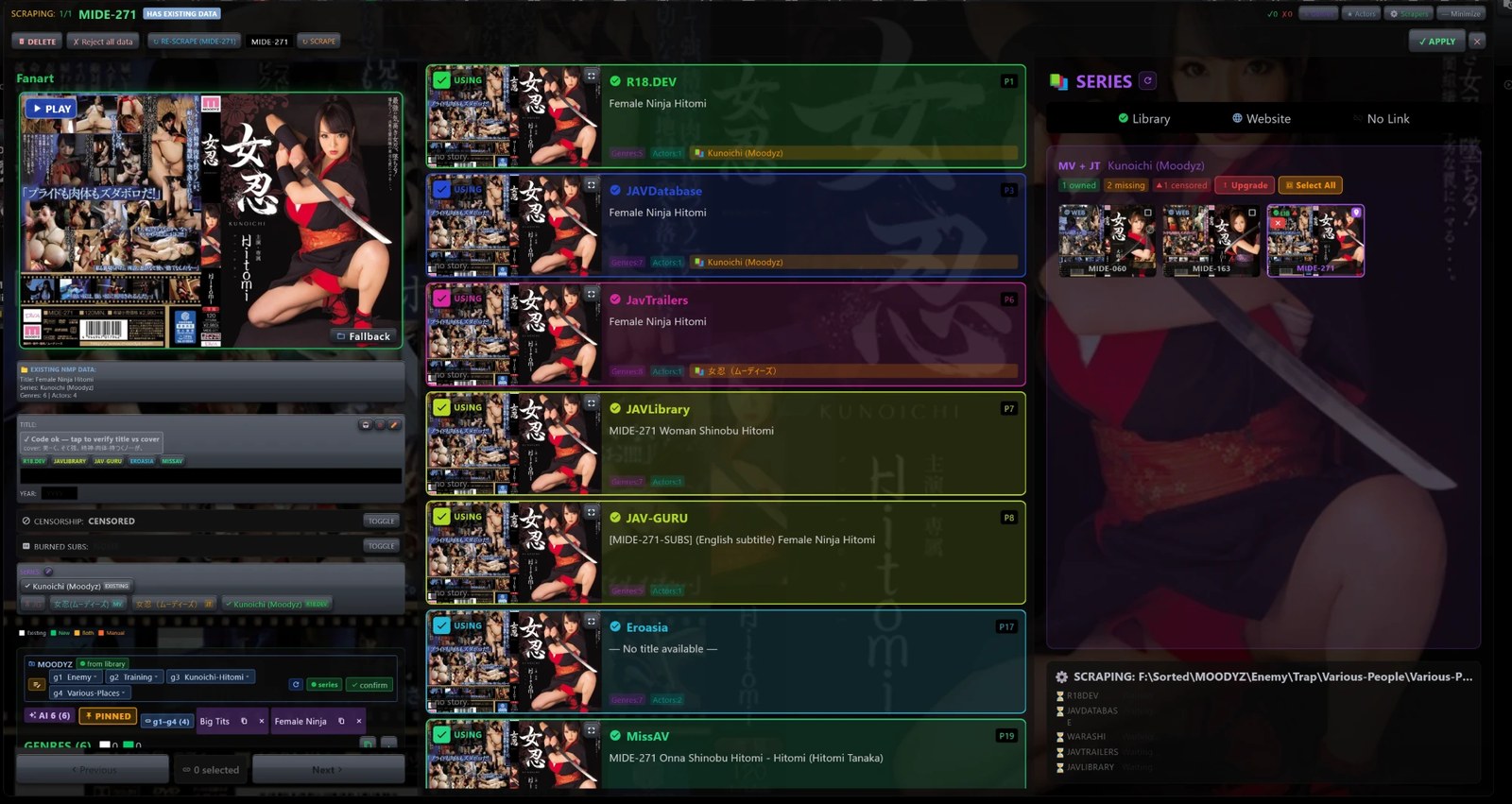
The pictures have been formatted a little for public display: some covers are blurred. Kuraya itself shows everything as it is.
You don't have a collection problem. You have a time problem.
Kuraya takes over the repetitive work, for every movie that has a DVD-ID in the file name.
🧠 It knows the films it can identify
Reads the DVD-ID from even messy file names (it must be in the name) and asks several movie databases at once: cover, title, cast, studio and genres. Pick the best result or let it run automatically.
🗂️ Files it like a librarian
Studio, then genres, then the film, in clean folders that also make sense in Explorer, always under Windows' 255-character path limit.
🈶 English subtitles from the audio
Transcribes the Japanese speech on your own graphics card with Whisper and turns it into English. Free and private: the translation runs on your own PC with local AI (Ollama).
🎭 Knows the cast
An actress database with photos and bios from several sources, duplicates removed and aliases understood. An optional face check keeps only photos of the right person.
🔁 Finds duplicates
The same film on three drives? Kuraya finds copies by DVD-ID, file content and even sound, and keeps the best one.
🩺 Keeps itself healthy
A background guard finds missing covers, broken files and leftovers. Nothing is deleted without asking, and removed files go to a quarantine first.
📂 Local and LAN browser
Open any drive or network share and play movies straight away in Kuraya's own player.
📺 Tube browser
Search the popular tube sites inside Kuraya, play in the same player and keep favourites.
📱 Android and Windows remote
Stream your own collection to any phone, tablet or laptop, at home and away (through the free Tailscale app).
⚠️ Every movie needs its DVD-ID in the file name
Kuraya recognises a movie only by its DVD-ID (the product code, for example ABP-112 or SONE-804). A file with a normal text name, such as My Holiday Video.mp4, is not recognised: it is not scraped, not filed and not matched against what you already own. Put the DVD-ID in the file name and scan again. Put your movies loose, not in a folder, into the Pre-Inbox or the Inbox, new ones and also ones you already have in folders: Kuraya makes the folder itself. Site tags and suffixes in the name are fine ([HD]SONE-804-C.mkv).
🧪 Beta testers wanted
Kuraya is in beta. Try it on your own collection and tell us what breaks, what is confusing and what is missing.
Sign up as a tester